Processing customer statements is a simple and important process used to report the outstanding invoices for each customer in regular intervals. Statements can be processed and printed as often as desired although monthly statements are the most common. Statements can be printed to report outstanding invoices to all customers or can serve as reminders to only the customer’s whose invoices are overdue.
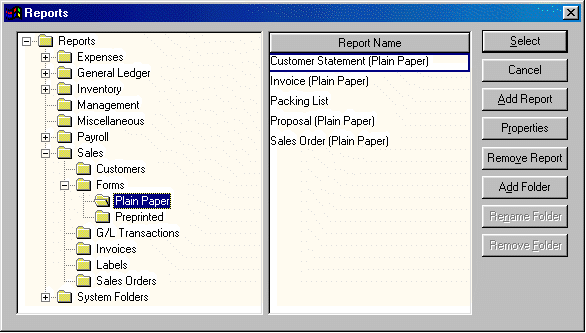
If the Customer Statement report is not listed on the print button, select Add Report and the following Reports selection dialog will open:
Open the Reports>Sales>Forms reports folder within the Reports folder list. Select the Plain Paper folder if planning to print statements on plain, letter size paper, or select Preprinted if planning to use preprinted statement documents. Highlight the appropriate Customer Statement report from the list and click the Select button. The desired customer statement report will now be listed on the Print button on the Customer Payments window. See Print Menu section for more details on adding or removing reports from the Print menu.
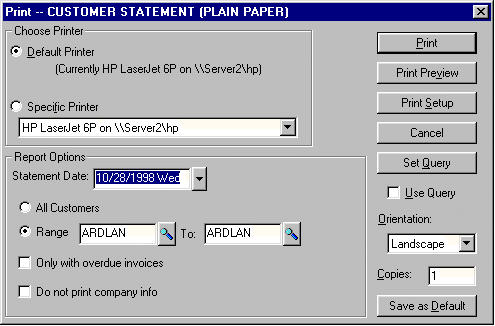
Select Customer Statements report from the Print button list and the following dialog will open:
Printed statements can be discarded or reprinted since no transactions are created in the statement process.